
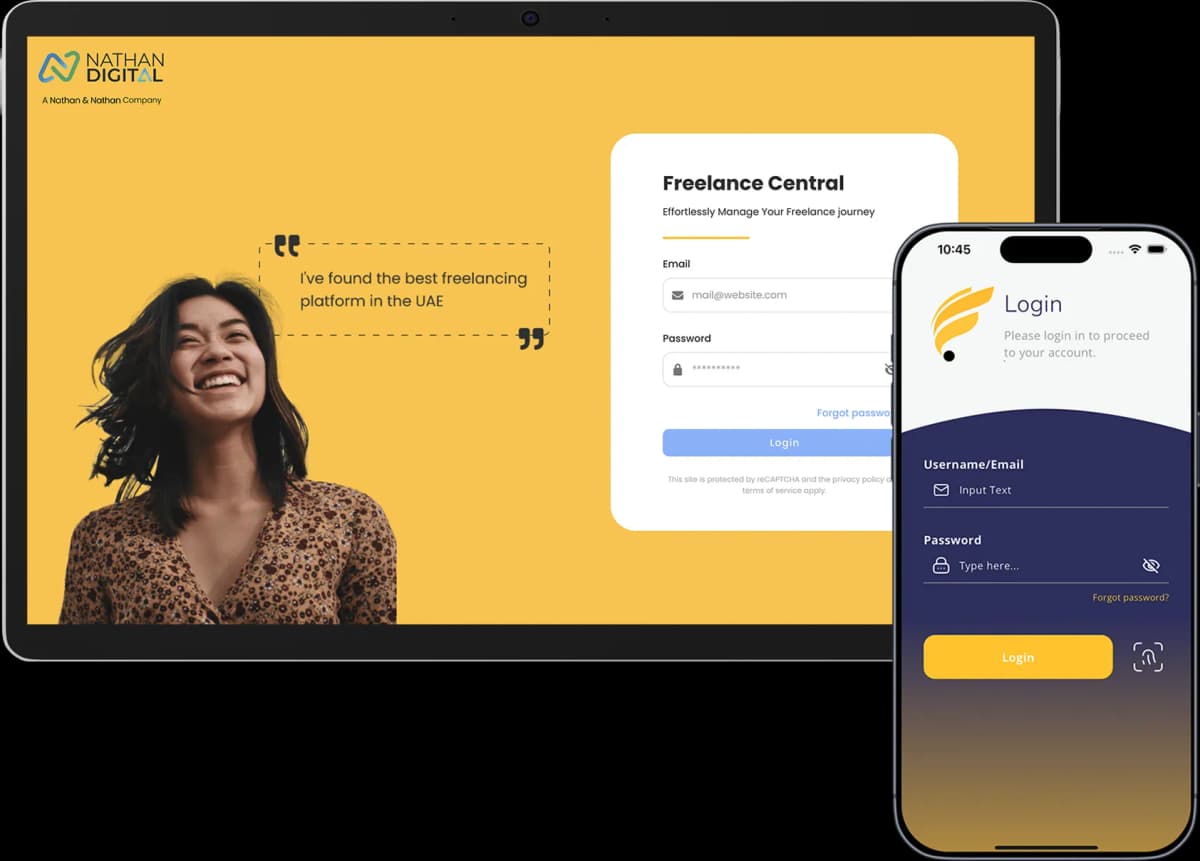
Freelancer Central is the Dynamic Freelancer member portal for managing your freelance setup in the UAE. It helps you track applications, manage client details, raise invoices, submit service requests and keep account records in one place.
This guide explains how the Freelancer Central app works, who can access it, what each section does and how it supports members after joining us.
What Is the Freelancer Central App?
Freelancer Central is our portal and app for Dynamic Freelancer members. It is not open for public self-registration. Access is activated after your selected package is confirmed and paid.
Once your account is active, you can use Freelancer Central to manage applications, clients, invoices, service requests, support tickets, events, resources and account activity.
How Do You Access Freelancer Central?
Contact Us: Reach out via our website, or connect with us by call or WhatsApp.
Choose your Dynamic Freelancer package: Sign up for any of our residency or freelance work permit packages, or choose from any of our other services that fit your needs.
Complete confirmation and payment: Once your package is confirmed and paid for, we activate your access.
Access Freelancer Central: Get exclusive access to Freelancer Central as part of your package.
Once your access is active, you can use Freelancer Central to track applications, manage clients, raise invoices, submit service requests and contact support.
How the Freelance Portal Is Structured
Freelancer Central is organised around the main tasks our members need to manage after joining us. Each section supports a specific part of your freelance setup, from application tracking to invoices and support.
The main features include:
Dashboard
Freelancer profile
Application Status
Clients
Invoices
Service Requests
Events
Referrals
Support
Resources
Marketplace
Each section has a defined role in your freelance journey.
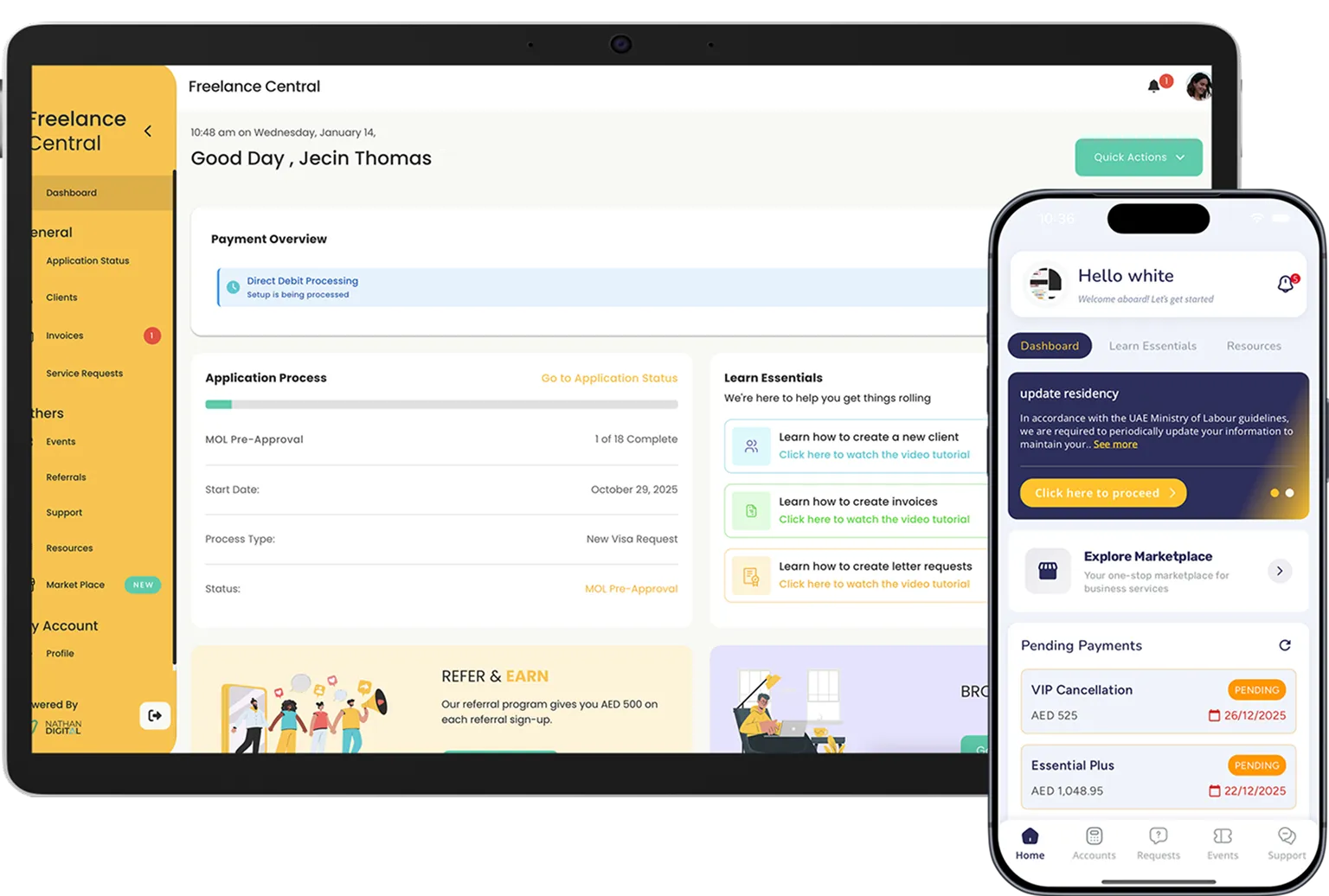
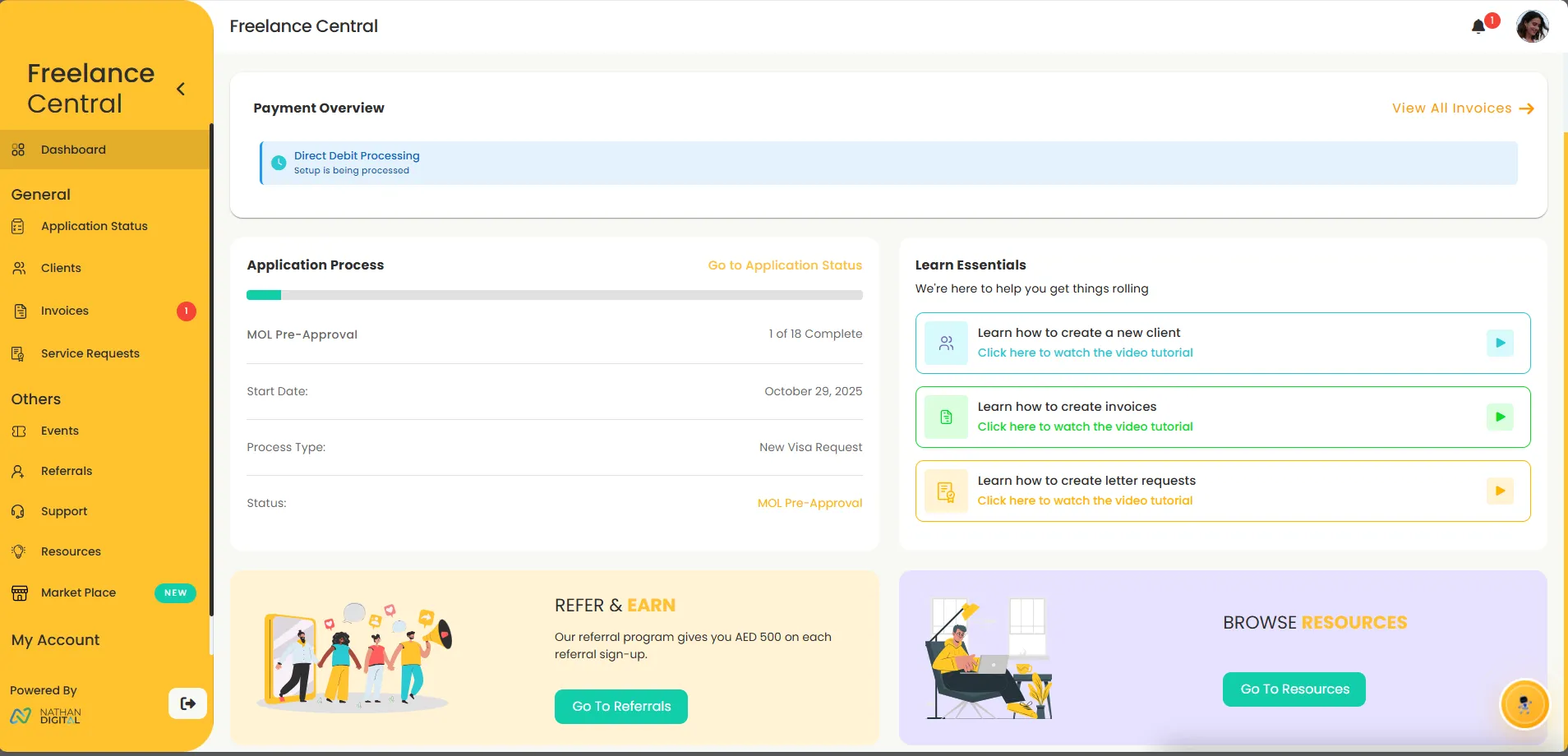
The main dashboard
The Dashboard is your starting point. It provides a high-level overview of your account activity and progress within the portal. Instead of searching through different sections to understand what is happening, the dashboard gives you immediate visibility into key updates and actions that may require attention.
Its purpose is awareness, not data overload.
Visa application status and tracking feature
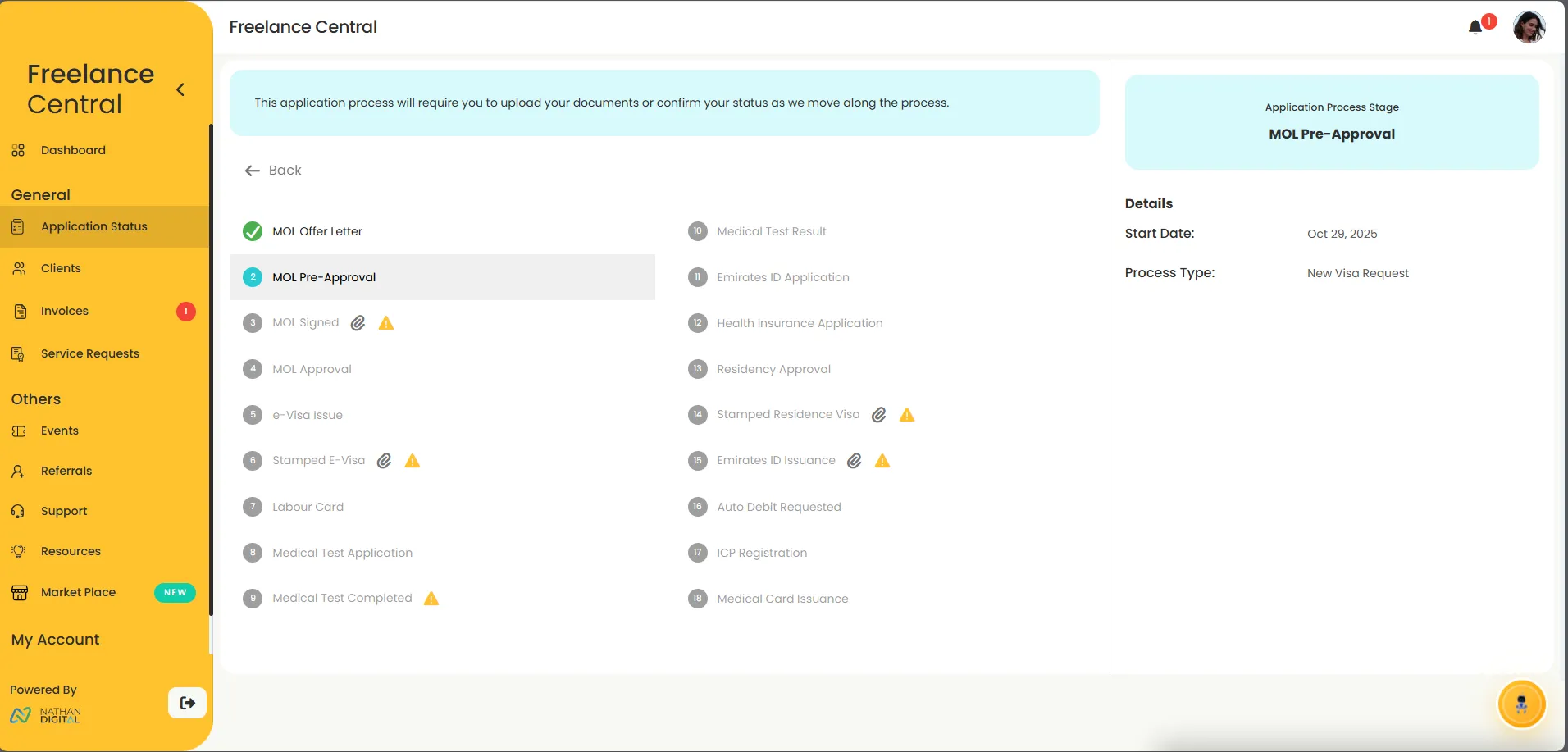
The application status section is dedicated to visa and residency-related processes.
This is where you track:
The progress of your freelance application
Current status updates
Application milestones and outcomes
Rather than relying on back-and-forth communication to understand where your application stands, this section provides a centralized view of progress and updates tied directly to your account.
Client management
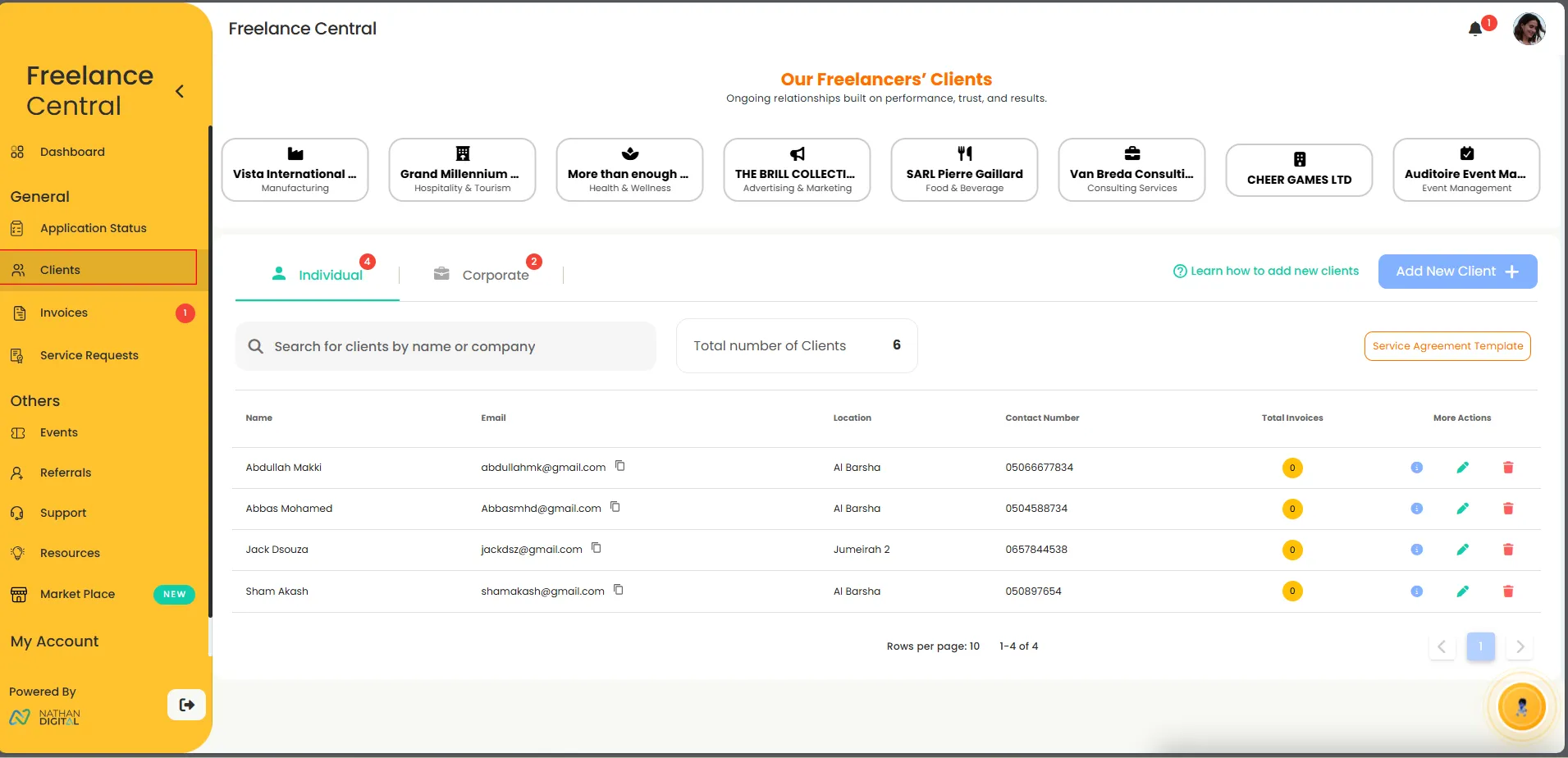
The Clients section is where you manage everyone you work with.
It allows you to:
Create and store client essential details
Separate individual clients from company clients
Maintain a record of current and past client relationships
Client data saved here becomes reusable across the portal. Once a client is added, their details can be linked to invoices and service agreements without repeated data entry.
This structure helps freelancers maintain clean, consistent records as their client base grows.
Invoicing and payment management
The Invoices section is designed to simplify billing and payment tracking.
From this section, you can:
Create invoices linked directly to saved client profiles
Track invoice status from issue to payment
Maintain a clear billing history
By linking invoices to clients, the portal ensures accuracy and consistency across financial records, reducing manual errors and confusion.
.webp)
Service Requests and Support
The Service Requests section is where you submit official requests related to your freelance setup and services.
This section allows you to:
Request administrative or business-related services
Track the status of each request
Maintain a record of submitted and completed requests
Instead of handling service requests through scattered conversations, everything stays logged, trackable, and associated with your account.
Events and Community Updates
The Events section gives you visibility into Dynamic Freelancer business social events.
It centralizes information related to:
Upcoming events
Participation details
Event-related updates
This ensures that event access and engagement remain organized within the same platform you already use for your freelance operations.
Support & Ticketing
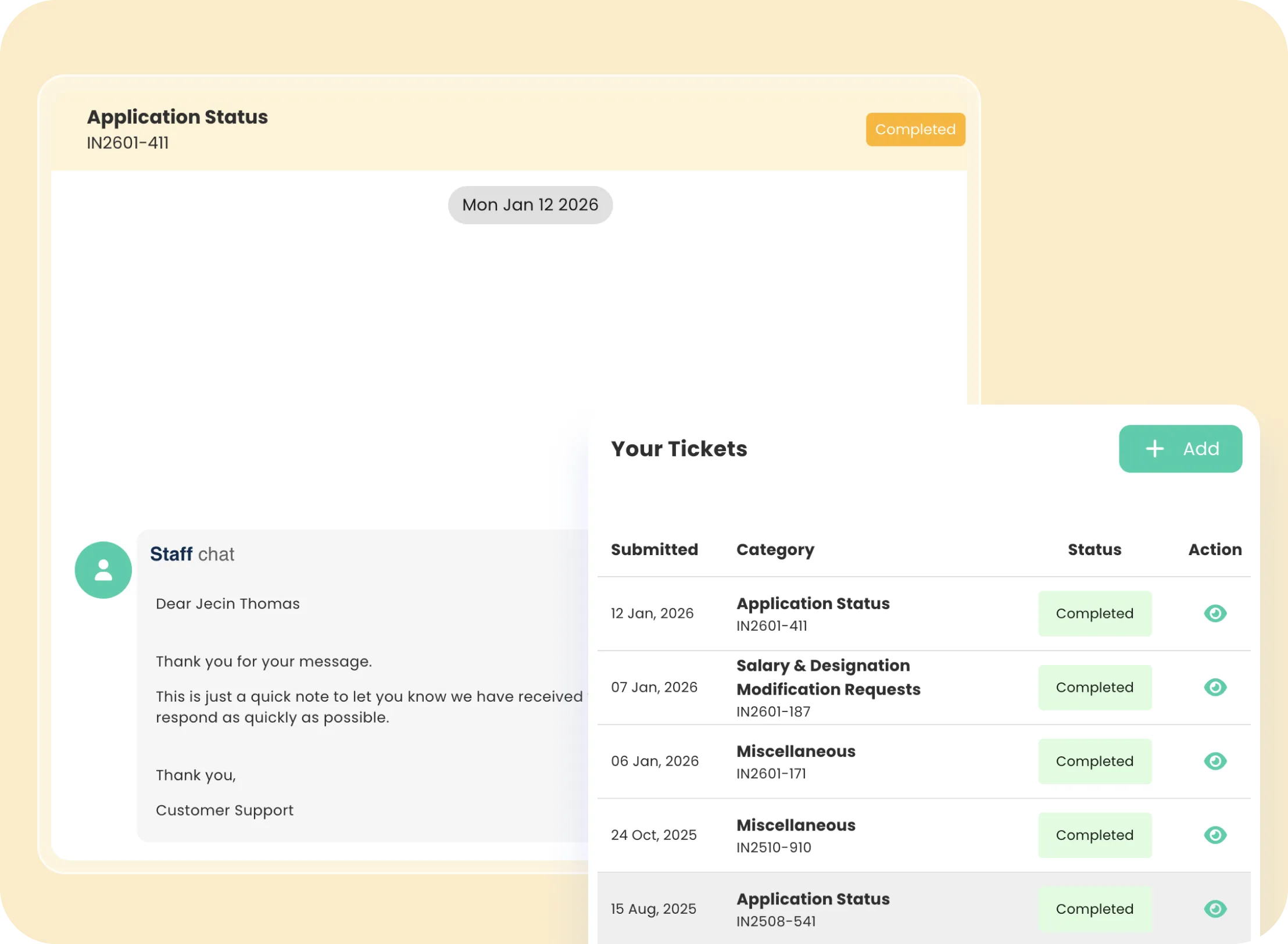
Support within the portal operates through a dedicated ticketing system.
Using the Support section, you can:
Raise support tickets
Track responses and resolutions
Maintain a documented history of support interactions
This replaces fragmented communication across emails, calls, or messages, ensuring every issue is recorded and resolved within the platform.
Marketplace
The Marketplace section gives access to additional services available through the platform.
These services are optional and designed to support freelancers who may need extended assistance beyond core features.
How All Features Work Together
The value of the Dynamic Freelancer Central Portal lies in how its features connect.
Clients link to invoices.
Applications link to records and support.
Service requests and tickets remain tied to your account history.
This interconnected structure ensures:
Fewer delays
Cleaner records
Clear accountability
Reduced administrative overhead
Everything lives in one system, built around real freelance workflows.
What the Portal Is Not Designed to Do
To set clear expectations, the portal:
Does not operate as a freelance marketplace
Does not find clients or projects
Does not replace legal requirements outside your selected package
It is a management and support portal, not a job platform.
Why Use Freelancer Central?
Freelancer Central gives our members one place to manage the admin linked to their freelance setup. Instead of relying on separate emails, messages and spreadsheets, you can track applications, clients, invoices, service requests and support from your account.
For freelancers working with us, the portal supports both setup and day-to-day management, so important records stay organised throughout the freelance journey.
Frequently Asked Questions
Find answers to common questions about this topic
Who can access Freelance Central?
Can I register for the app directly from the App Store?
Does Freelance Central help me find clients or freelance jobs?
Can I track my visa or residency application inside the portal?
Disclaimer: This article is intended to provide practical, up-to-date information. Details may vary based on individual circumstances, location, or changes in regulations. The information provided is for informational and educational purposes only.